
Deductions
This report provides a list of the deductions per unit.
✑ From the OSIS sidebar, click on the Deductions under the Reports link of the Pricing module.
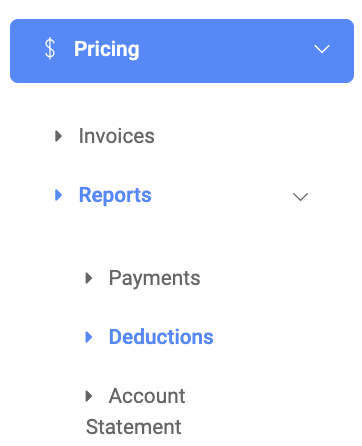
On the Deductions page, there are two(2) buttons namely; Find and Export.

To find a payment report, click on the Find button. The find form presents the following fields;
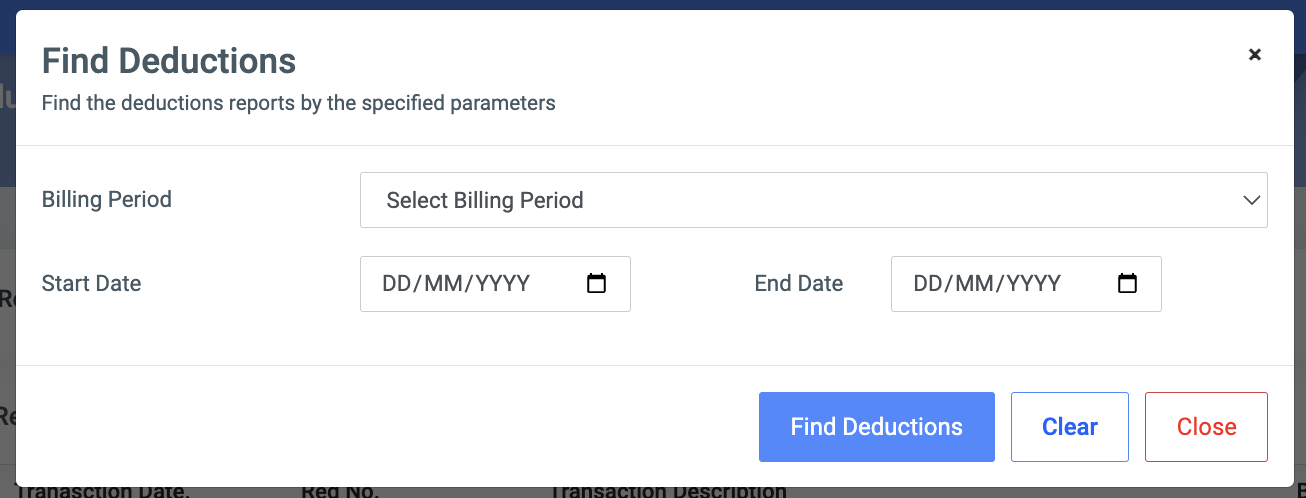
- Billing Period: The list of active billing periods in the school.
- Start Date: Provide the minimum date you want to start your search with.
- End Date: Provide the maximum date you want to end your search with.
✑ Click on the Export button to export your results to an Excel sheet
The list of deductions comes with the following fields;
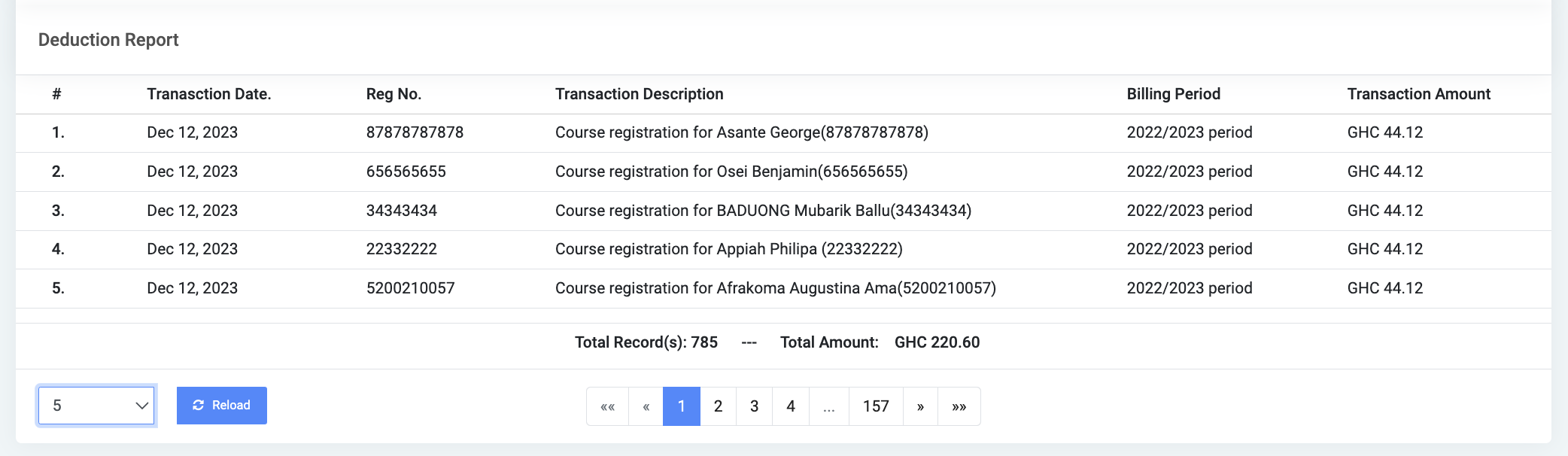
- #: The list item number
- Transaction Date: The date the transaction was made
- Registration number: The index number of the student
- Transaction Description: A short description of the transaction
- Billing Period: The billing period the invoice falls under
- Transaction Amount: The total amount of the invoice