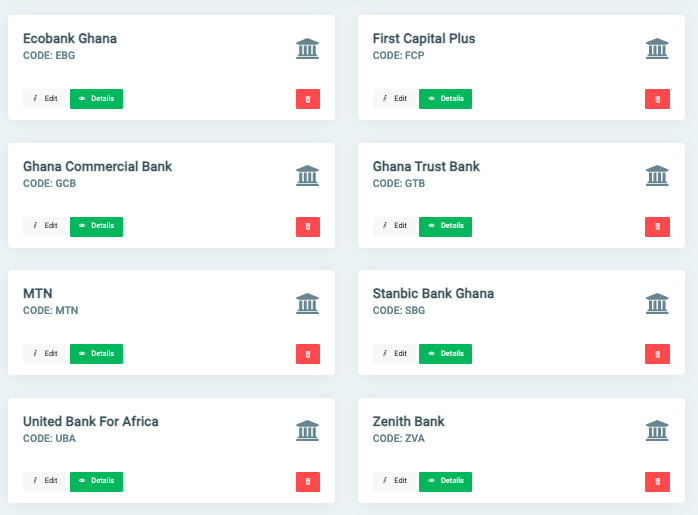
Banks
All payments that are recorded in OSIS are tagged to a specific bank. In OSIS, banks may be traditional financial institutions or Telcos. Examples include GCB, MTN etc.
✑ From the OSIS sidebar, click on the Banks link under Setups of the Finance module.
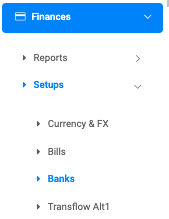
The Banks page has an Add Bank button positioned to the top right.

To add a new bank, click on the Add Bank button. This opens up a form with the following fields;
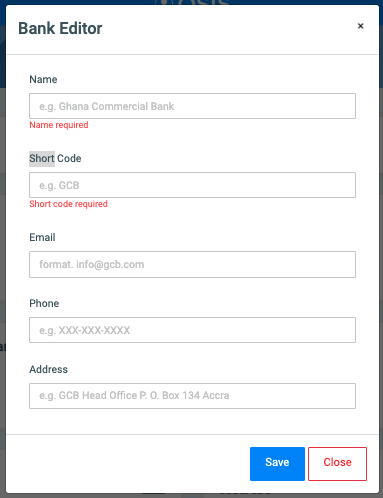
- Name: The name of the bank
- Short Code: An acronym of the bank/telco
- Email: The banks’ official email address
- Phone: The telephone number of the bank
- Address: The banks’ physical address
NB: The Name and Short Code fields are required.
Also, created categories are listed by default on the page.